 Free Android widget
Your home screen,
your perfect calendar.
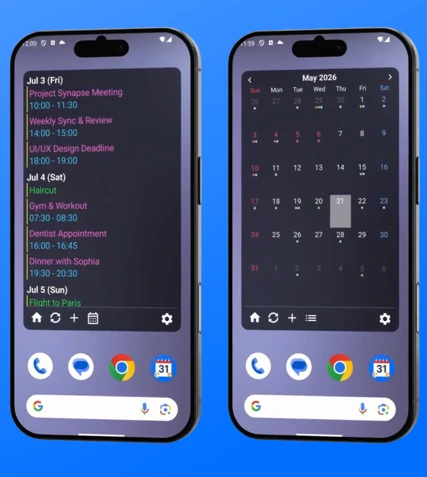
Millions of colors, transparency, and layouts — fully customizable. A beautiful, high-performance calendar widget to manage your schedule smartly.
It reads the events from the calendars already on your phone. No account to create, and nothing ever leaves your device.
Highlights
The more you tune it, the more it belongs on your home screen.
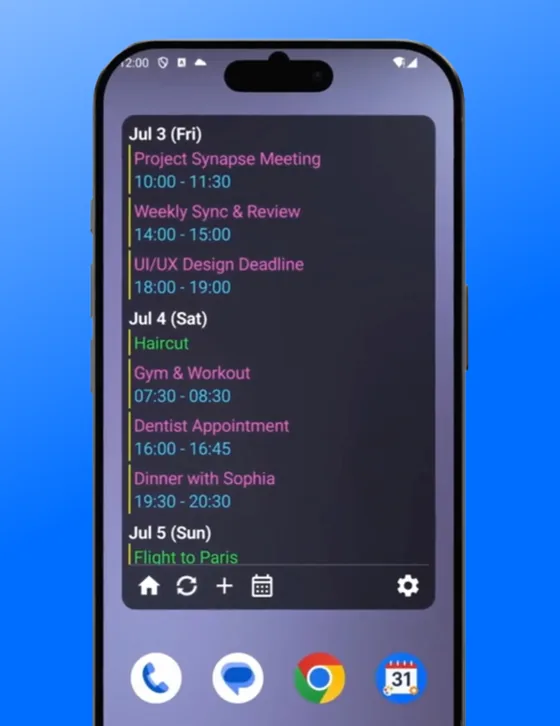
Over 30 meticulous design settings
Text size, event title display, the layout of dates and titles, spacing between elements, even corner style — fine-tune every detail so the widget fits your home screen perfectly.
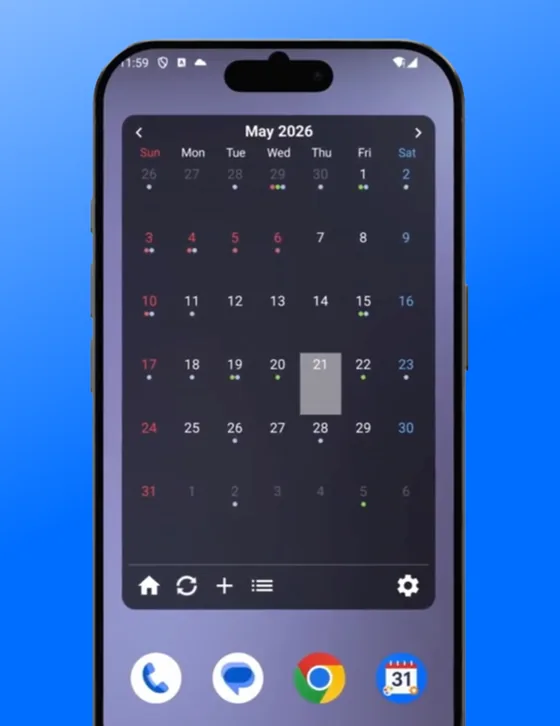
Switch views with a single tap
“List View” for checking event details, and “Monthly Calendar View” for grasping your schedule at a glance — switch instantly with one button tap on the widget.
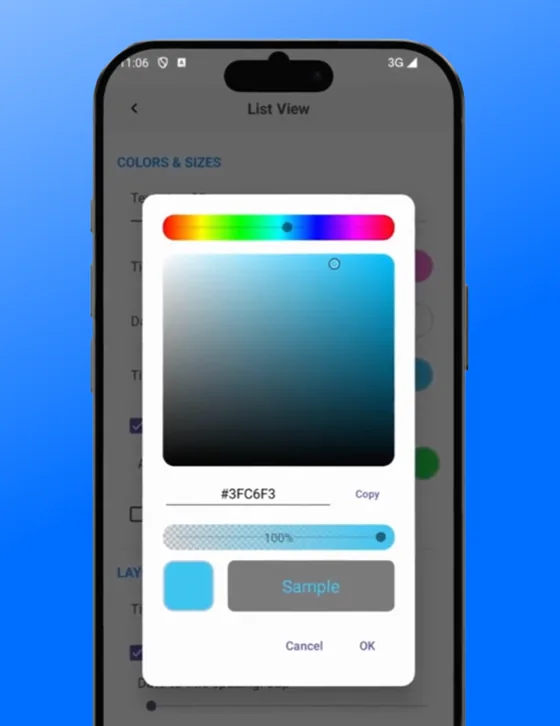
Millions of colors & full transparency
Unlike widgets limited to a few presets, MyOwnCal offers a full color picker with brightness and transparency control — create gorgeous, semi-transparent looks that blend with your wallpaper.
Key Features
Holiday Highlight
Load holiday data from your calendar and highlight those dates and cells with a dedicated color. Spot your long weekends and holidays at a glance.
Multiple Calendar Integration
Consolidate work, personal, and family schedules into a single widget. A colored bar for each calendar lets you tell events apart instantly.
No ads, everything free
There are no ads and no locked features. The app does offer an optional tip to the developer, but buying one changes nothing about how the app works.
Privacy-First Design
Your calendar data is processed entirely on your device and is never sent to external servers. No analytics tools either.
Seamless Auto Backup
Compatible with Android's auto backup. Your widget design settings carry over automatically when you switch devices.
Available in 30 languages
English and Japanese plus Chinese, Korean, Spanish, German, Swedish, Ukrainian and more — 30 languages in total, following your device's language setting.
App Information
The only in-app purchase is an optional tip
Make the home screen yours.
Free to download on Google Play.